The Design Challenge
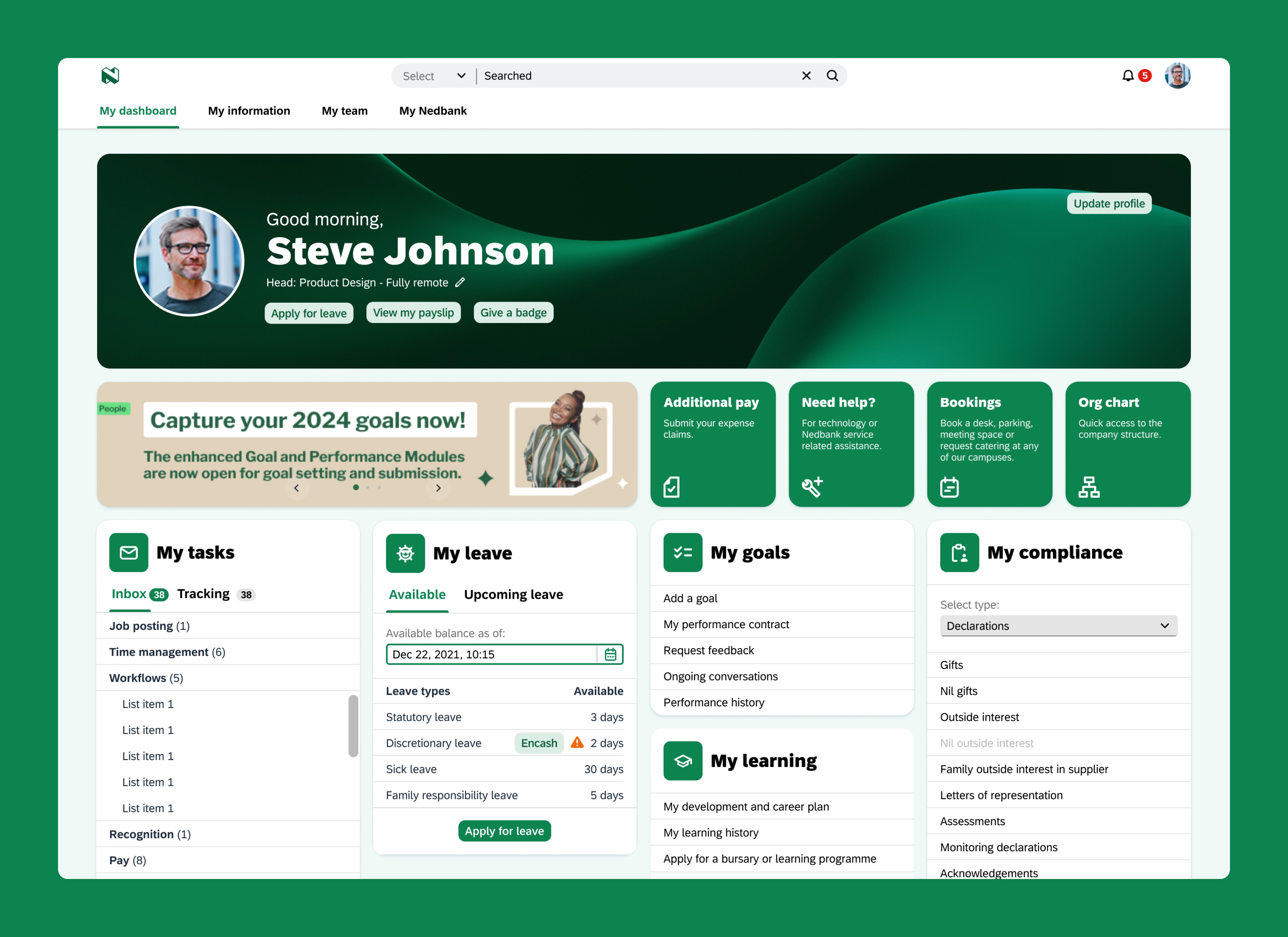
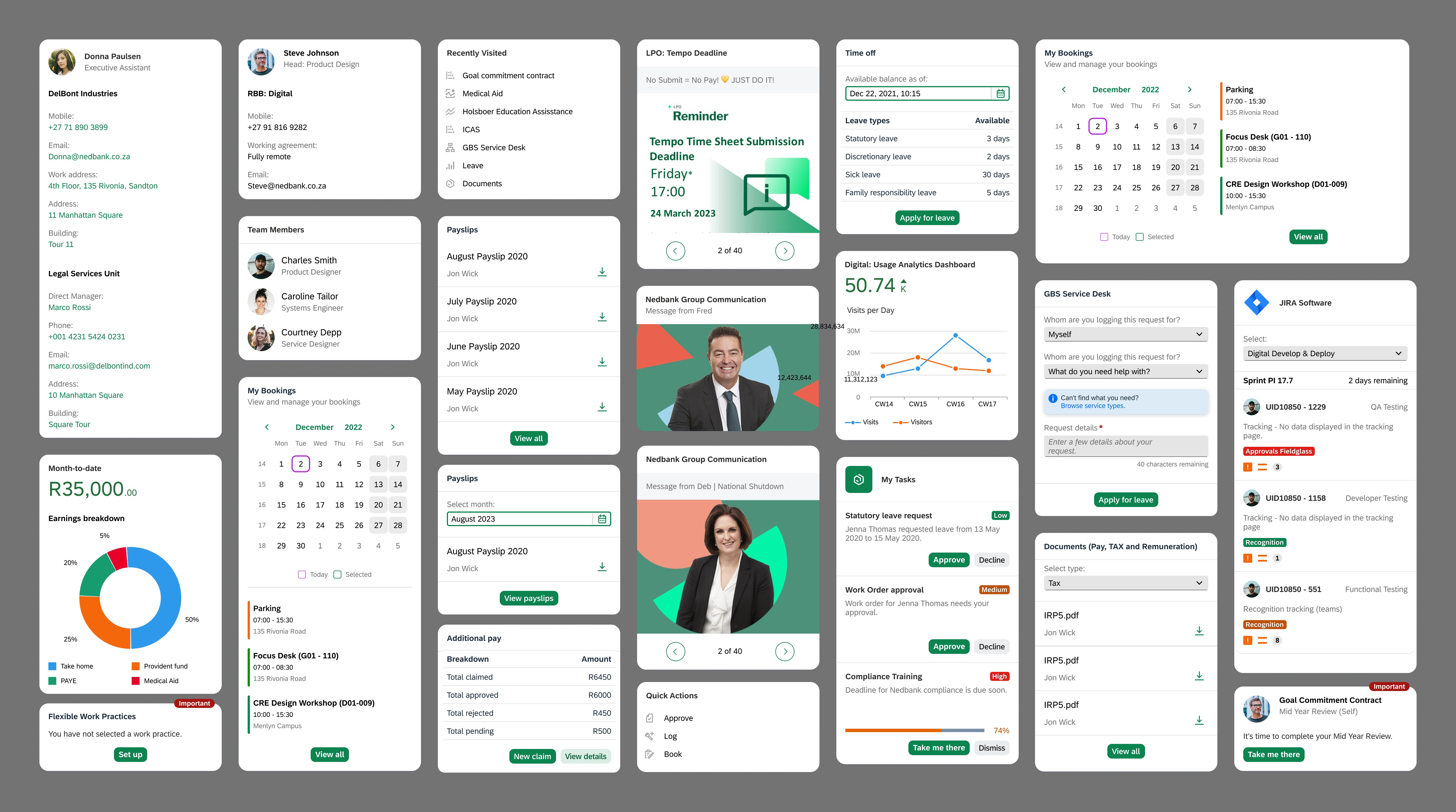
Our discovery revealed a fundamental tension: employees needed comprehensive functionality in one place, but that comprehensiveness made the portal overwhelming. Traditional navigation improvements couldn't solve a problem rooted in feature density itself.
How might we help employees quickly access the features they need within a necessarily feature-rich portal, without adding to navigation complexity?
Users & Constraints
We needed a universal solution for all Nedbank employees, from tellers to executives, that could be built within SAP's technical constraints.
Success Criteria
Reduce time employees spend searching for features and completing routine tasks
Decrease volume of GBS support tickets related to navigation and findability
Improve employee sentiment toward internal tools and systems.
Problem Statement
Nedbank employees struggle to efficiently complete routine tasks because the portal's comprehensive features create overwhelming navigation complexity, affecting productivity and employee sentiment.
Ideate
Building on What Worked
The existing portal already had a search feature that showed promise - users could search for employees and use simple commands like "Give badge to" to navigate directly to the Recognition page.
However, this capability was limited and underutilized. It couldn't search for features themselves, and most employees didn't know these shortcuts existed.
This existing functionality revealed an important insight: employees wanted to tell the system what they needed to do, not navigate to find where to do it.
Design Research & Inspiration
To address the findability challenge, I realized we needed solutions for two distinct user scenarios: employees who needed to quickly find occasional features, and those who wanted their frequently-used tools readily accessible. This led me to explore two complementary solution areas: intelligent search and dashboard personalization.
Research: Intelligent Search & Command Interfaces
To understand how search could become a primary navigation method, I examined products that use search as more than just a lookup tool:
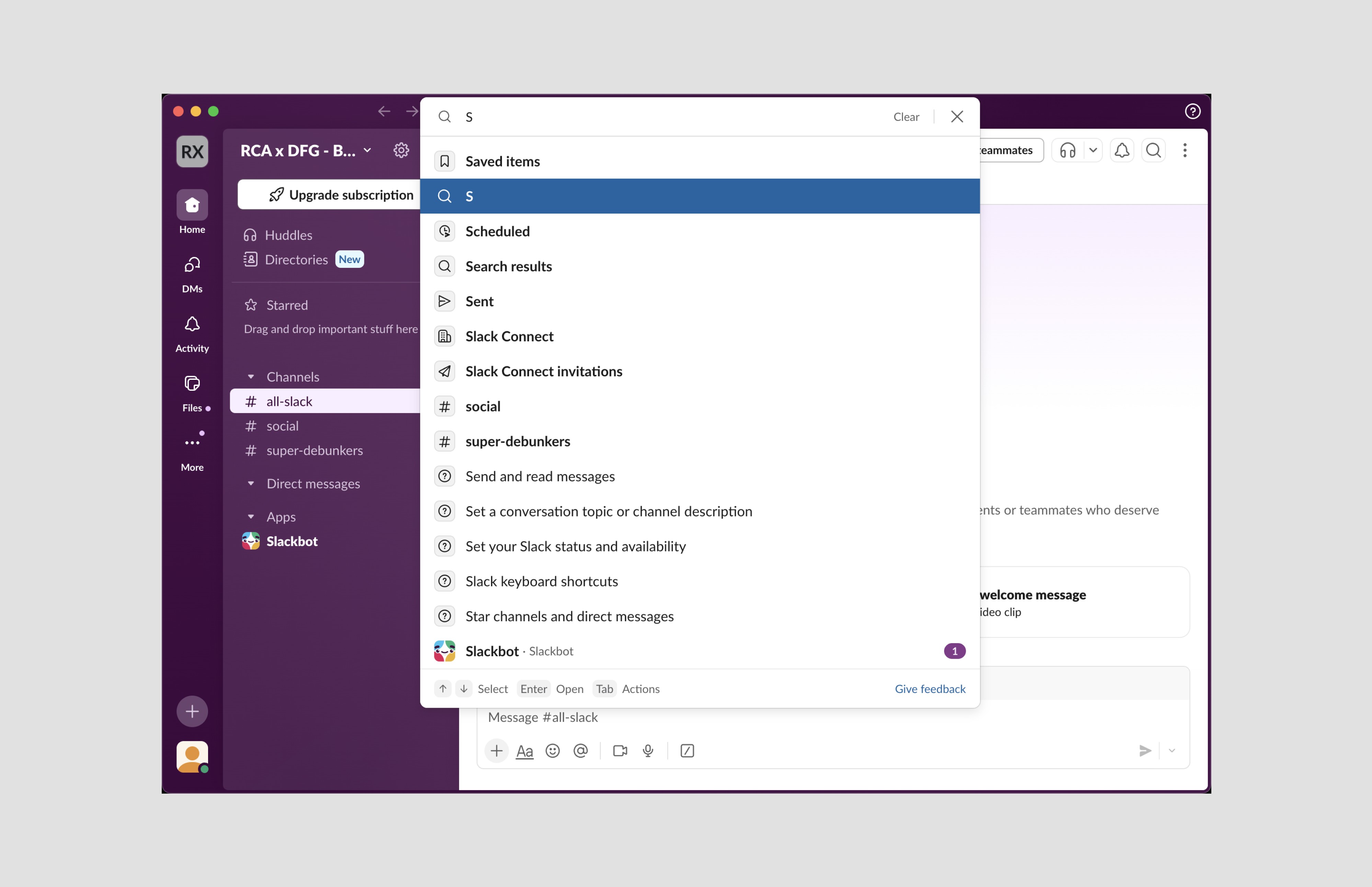
Slack's command palette (Cmd+K) allows users to search for channels, people, and trigger actions in one unified interface
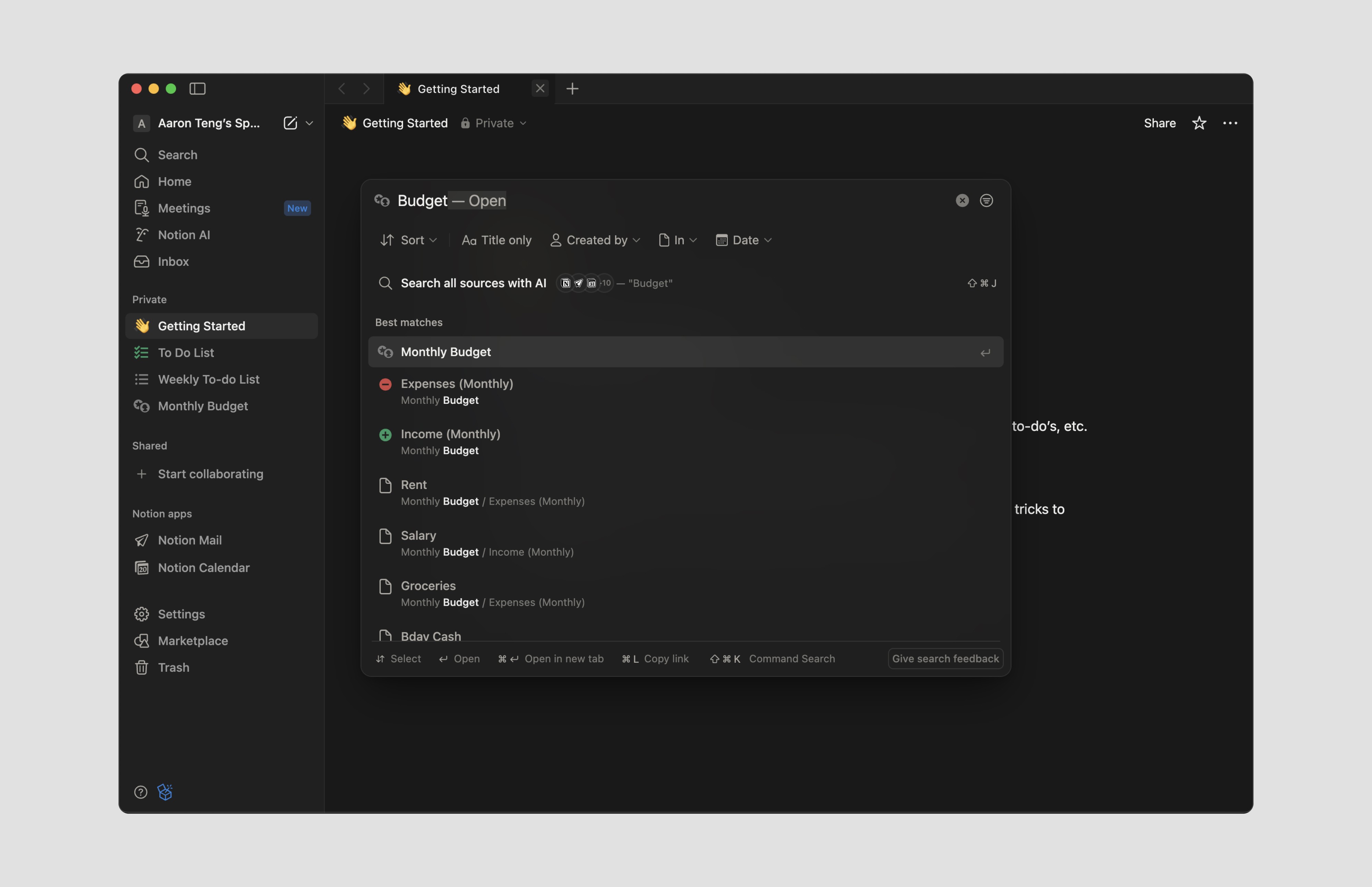
Notion's quick find surfaces pages and displays modular previews without requiring users to leave search
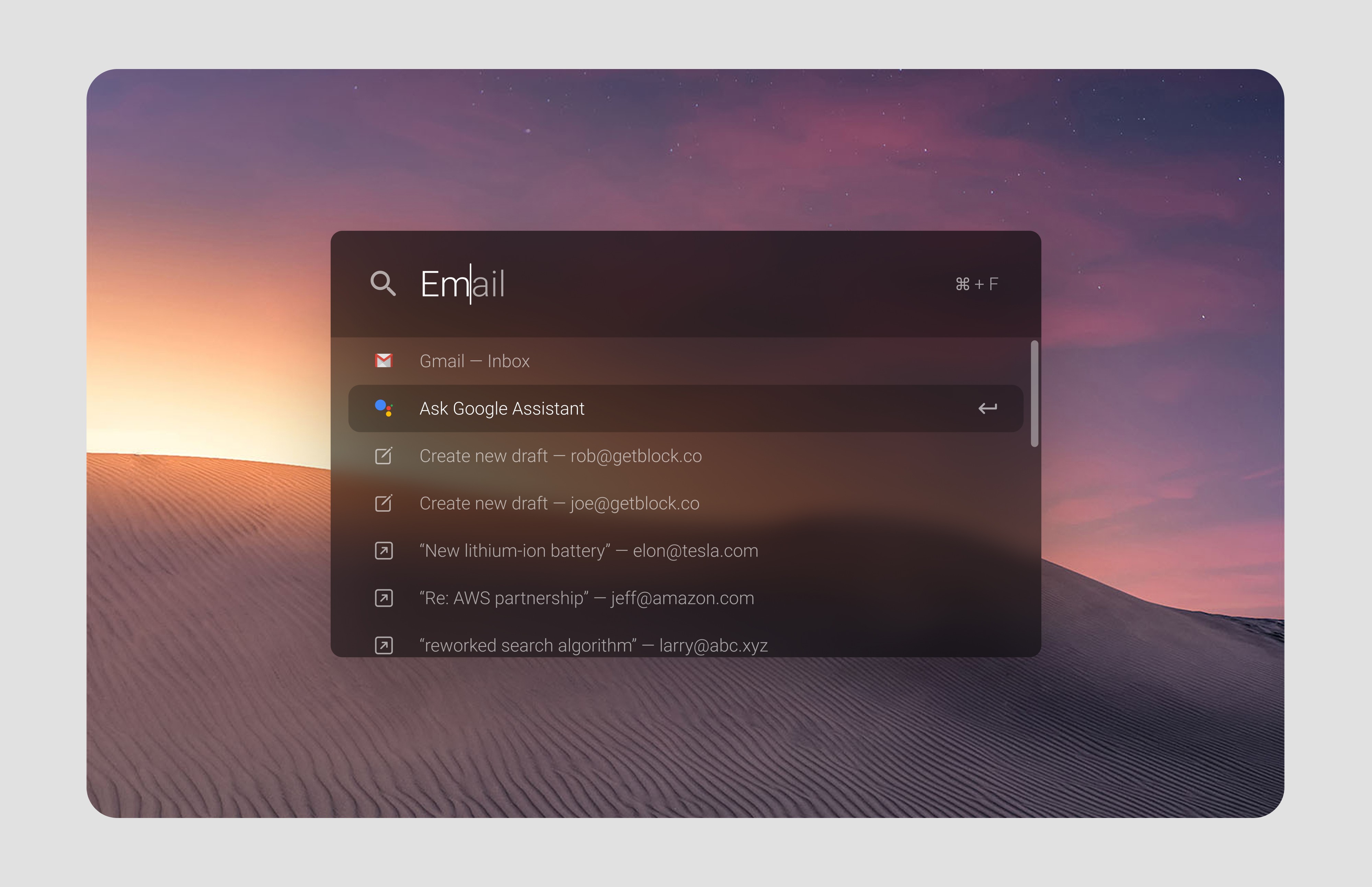
Spotlight on macOS demonstrates how natural language queries can surface applications, files, and system actions
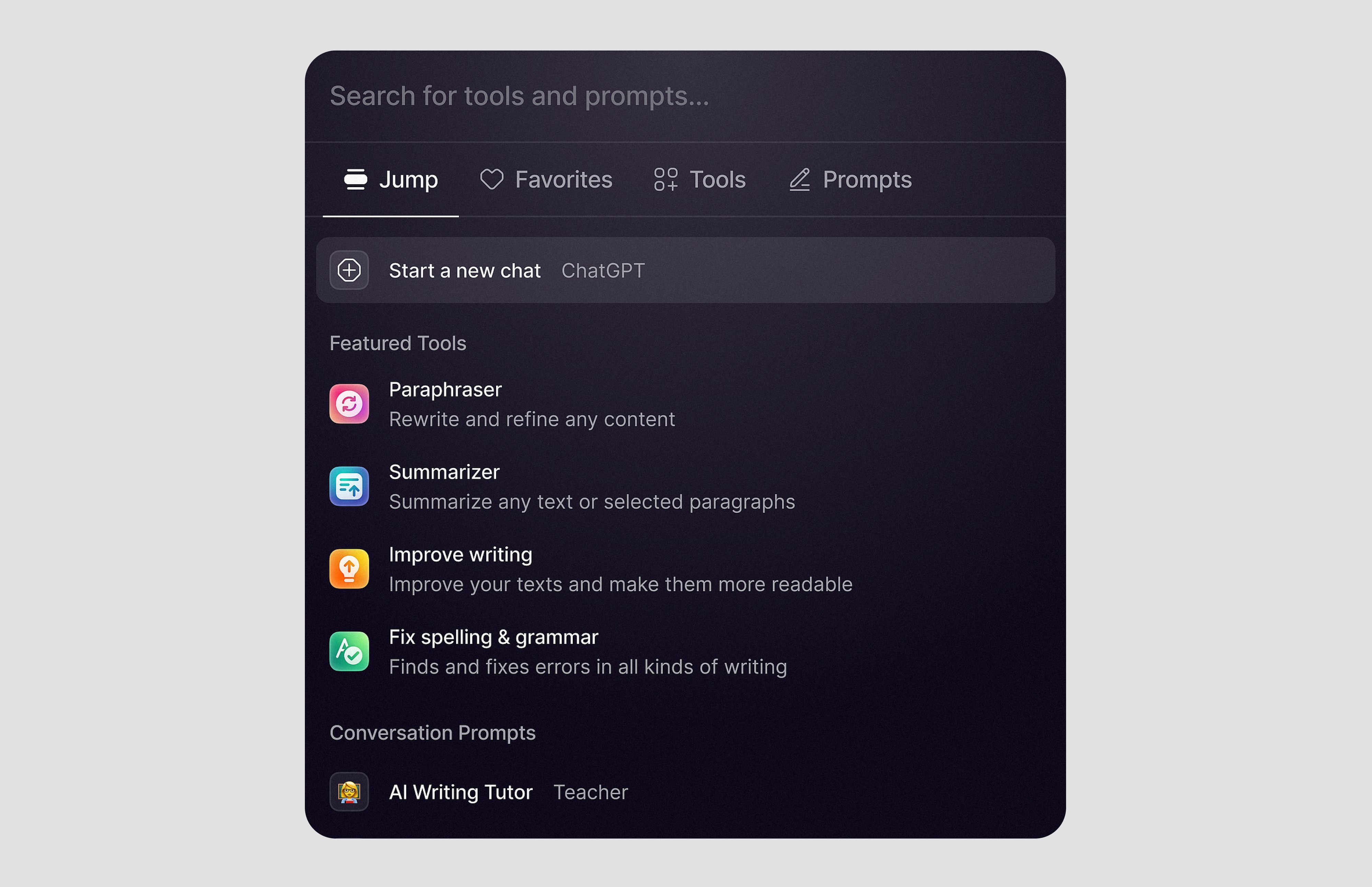
UniJump provides a universal search interface that lets users quickly navigate between different web apps and tools from a single command palette
Key insight: Search should enable action, not just discovery. Users should be able to complete tasks from search results without navigating to full feature pages.
Research: Dashboard Personalization & Customization
To understand how users could curate their own experience, I looked at products that let users choose which tools and features are most visible:
iOS home screen editing demonstrates the "wiggle mode" pattern where a single action reveals deletion controls across all items, letting users quickly remove unwanted apps and customize their space
Google Analytics and Tableau dashboards allow users to add and remove metric cards and data visualizations, ensuring each user sees only the tools relevant to their work
Microsoft Teams sidebar lets users pin and unpin apps and tools they use frequently, creating a personalized workspace within the platform
Key insight: The best customization patterns use clear edit modes where users can quickly remove what they don't need and easily add back relevant features. This makes dashboard curation feel manageable rather than overwhelming, especially in feature-rich enterprise environments.
Exploring Solutions
Based on this research, we explored two complementary approaches: intelligent search for occasional needs and discovery, and customizable dashboards for frequent tasks and efficiency.
1. Customizable Dashboard
We recognized early that not all employees needed all features visible at once. A customizable dashboard would allow users to curate their own experience - pinning frequently-used features and removing irrelevant ones.
2. Intelligent Search Assistant
Building on the existing search functionality, we explored expanding it to become a true navigation alternative - one that could help employees accomplish tasks directly without navigating through menus.
The HR Concierge Solution
We developed both approaches into an integrated solution called the HR Concierge - an intelligent search assistant paired with customizable dashboards. This dual approach ensures employees can easily access anything they need without getting lost in feature bloat.
Prototype
Bringing the Solution to Life
I created a high-fidelity interactive prototype demonstrating both the customizable dashboard and HR Concierge search functionality.
Dashboard Customization
A sticky toolbar in the top right corner houses a dashboard icon that triggers edit mode. When activated, X icons appear on all feature cards, allowing users to quickly remove what they don't need. Simultaneously, a feature drawer slides up from the bottom, displaying all available features with search functionality. Users can find and pin the specific features relevant to their work, giving them full control over their workspace.
The HR Concierge Search
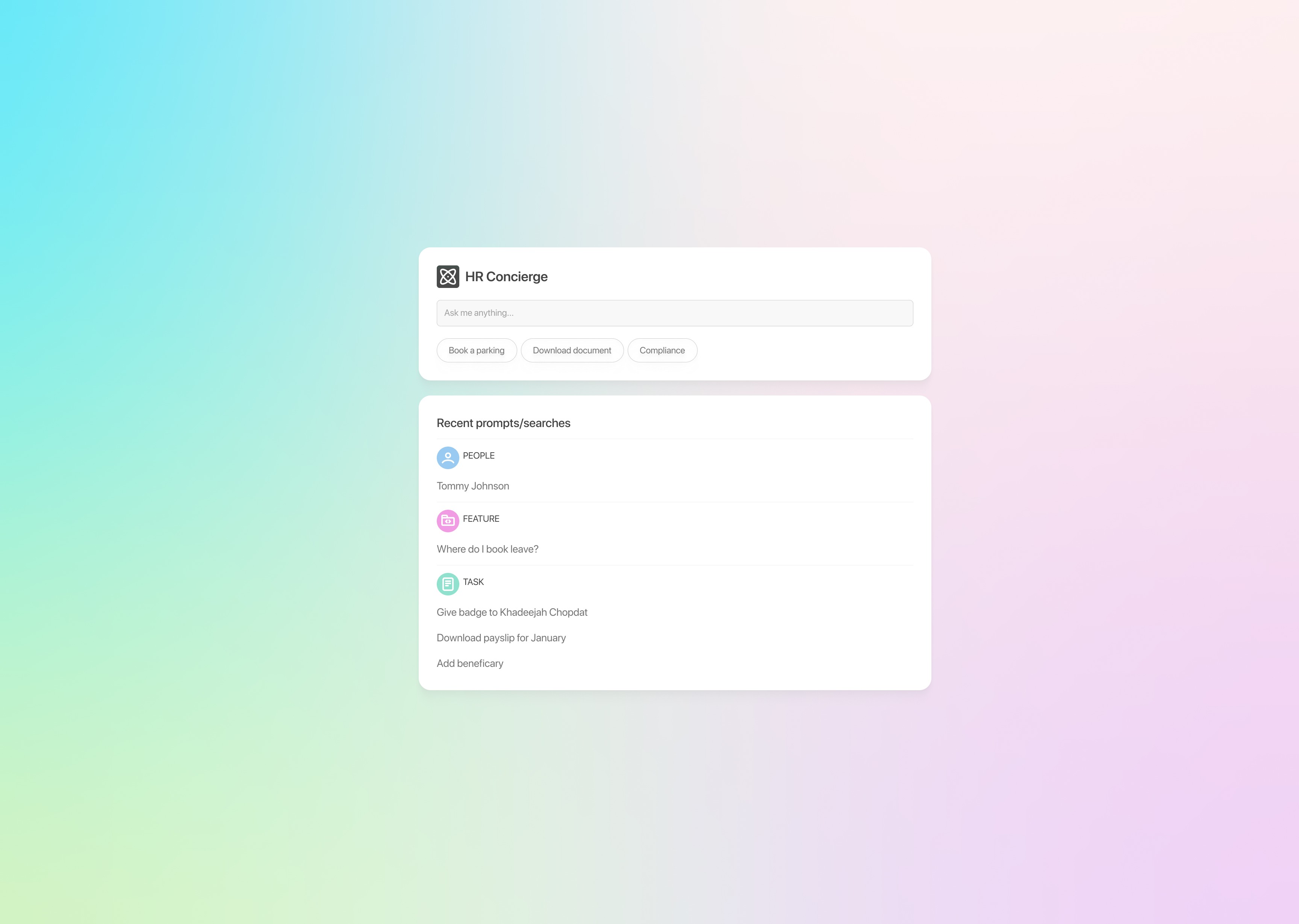
The HR Concierge allows employees to describe what they need in plain language. Prompts like "Book leave" or "Download payslip from April 2023" instantly surface the relevant feature in a modular format beneath the search bar. Users can complete tasks directly within this modular view or click through to the full feature page when needed.
Key Design Decisions:
Card-based dashboard for clear visual hierarchy
iOS-inspired edit mode with X icons for intuitive deletion
Searchable feature drawer for easy discovery and pinning
Full-page search experience to eliminate distractions
Modular results enable direct action without navigation
Natural language understanding removes the need to know where features live
Test (Validation)
Stakeholder Validation
The HR Concierge was presented to key stakeholders, walking them through the dual approach of intelligent search and customizable dashboards.
The presentation demonstrated how employees could use natural language to find features quickly, and how personalization would reduce dashboard clutter.
Stakeholders responded positively to the concept, particularly the natural language search capability that would reduce support tickets to GBS. The customizable dashboard approach also addressed their concerns about feature visibility without requiring all features to compete for prime dashboard real estate.
Limited User Testing
Due to organizational constraints, formal user testing wasn't conducted. However, brief informal sessions with employees validated key assumptions about the findability problem and the appeal of a search-first approach.
Project Status
Before formal testing and implementation could proceed, the department was placed on a project freeze due to internal restructuring. While the HR Concierge didn't move forward, the design exploration provided valuable insights into solving feature density challenges in enterprise portals.
Reflections
Insights, learnings and key takeaways
This project reinforced that feature density challenges aren't unique to Nedbank - they plague enterprise portals across industries.
While the solution gained stakeholder support, organizational constraints prevented implementation, teaching me that even strong designs must navigate budget, timing, and political realities.
I would have loved to conduct formal user testing and present to decision-makers with greater authority. This experience highlighted the importance of identifying and engaging the right stakeholders early, not just designing well.
The project also opened my eyes to AI's potential in enterprise tools. Natural language search that enables direct actions represents a significant leap in enterprise UX - an area I'm excited to explore in future work.
Despite not being implemented, this project deepened my understanding of solving complex navigation challenges in feature-dense environments.